
iPhone photos · Updated September 2026
Convert HEIC to JPG — and resize it in the same step
A form, a website or a Windows PC will not take your iPhone photo? Open the HEIC file here, pick JPG, and download. Resize it, crop it or keep it under a KB limit on the way. The photo comes out the right way up, in colour, with nothing stored on our side.
One click
What do you need the JPG for?
Each link opens the resizer with JPG already selected and the usual size for that job.
Each link opens the resizer with these settings already filled in — you only choose the photo and press Download. Nothing is uploaded; the work happens in your browser.
Step by step
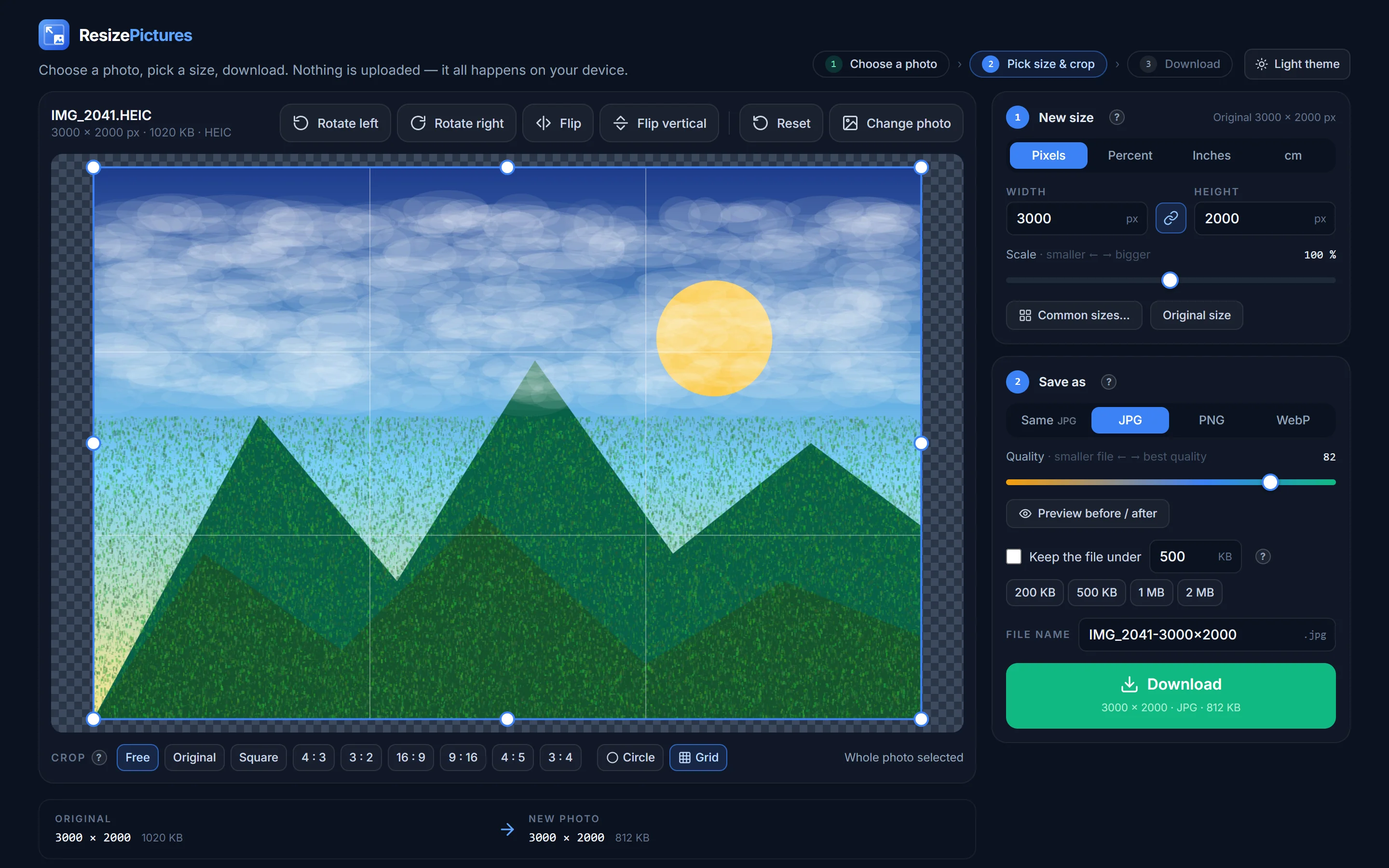
How to convert HEIC to JPG
-
01
Open the HEIC file
Click Choose a photo and pick the .heic file, or drag it in. Because most browsers cannot open HEIC themselves, the file is sent to our server, converted in memory and returned — nothing is written to disk. Safari opens HEIC directly, so on a Mac or iPhone even that step is skipped.
-
02
Choose JPG
Under Save as, click JPG (or PNG / WebP if you prefer). Adjust the size if the photo only needs to be shown on a screen — 1920 px wide is plenty.
-
03
Download
The file lands in your Downloads folder as
name.jpg, the right way up.
Background
Why iPhones make HEIC files, and why it matters
Since iOS 11, iPhones save photos as HEIC (High Efficiency Image Container) because it stores the same picture in about half the space of a JPG. Apple devices open it natively; Windows needs a paid extension, many websites, forms and older programs refuse it, and some e-mail clients show it as an attachment nobody can open.
Converting to JPG solves all of that. You lose nothing visible — JPG at quality 82 is indistinguishable from the HEIC on screen — and the file becomes universally readable.
Tip: to stop the problem at the source, on the iPhone go to Settings → Camera → Formats and choose Most Compatible; new photos are then saved as JPG. Or, when sharing from the Photos app, choose Options → Format → Most Compatible.
Details
Orientation, colour, Live Photos and HEIF
- Orientation. iPhones store portrait photos sideways with a rotation tag. The converter applies that tag and resets it, so the JPG is upright everywhere — including old software that ignores the tag.
- Colour. iPhone photos use the wide Display P3 colour space. The converter translates them to standard sRGB with a proper colour-managed conversion, so reds and greens look the same in the JPG as they did on the phone.
- Live Photos and bursts. Only the still image is converted; the short video part is dropped.
- HEIF from Samsung, Canon, Sony. The same format with a different extension (.heif); it opens the same way.
- Size limit. 40 MB per file — enough for any iPhone photo, including 48-megapixel ProRAW-derived HEICs.
Privacy
What happens to the HEIC file
HEIC is the one format where our server is involved, because browsers other than Safari cannot decode it. The file is sent over HTTPS, decoded in memory, converted to a normal image and returned in the same request. It is never written to disk, never logged and never kept — there is nothing to delete afterwards. Every later step (resize, crop, JPG encoding, download) runs in your browser. See the privacy policy.
How do I open a HEIC file on Windows?
Either install Microsoft’s HEIF Image Extensions from the Store, or convert the file to JPG here and open the JPG with anything. The conversion takes a few seconds and needs no software.
Does converting HEIC to JPG lose quality?
Not visibly. JPG at quality 82 (the default) looks the same as the HEIC on any screen; the file is somewhat larger because JPG is a less efficient format. Use the before / after preview to check for yourself.
Can I convert several HEIC photos at once?
Not yet — one at a time. For a whole album, the fastest route is the iPhone itself: select the photos, Share → Options → Format → Most Compatible, then AirDrop or e-mail them.
Why does my HEIC photo come out sideways elsewhere but upright here?
Some programs ignore the rotation tag that iPhones write. The converter bakes the rotation into the pixels, so the JPG is upright everywhere.
Can I convert JPG to HEIC?
No — HEIC cannot be created in a browser, and almost nothing outside Apple devices needs it. Save as JPG, PNG or WebP instead.
Is the HEIC file stored on your server?
No. It is decoded in memory and discarded when the response is sent — nothing is saved, nothing is logged.
Convert an iPhone photo now
HEIC in, JPG out — resized, cropped or under a KB limit if you like. Nothing stored.