
ID & passport photos · Updated October 2026
Passport photo size & resizer: 2 × 2 in, 35 × 45 mm and more
Crop a photo to the exact passport or visa size for your country, at 300 DPI, saved as JPG — and under the KB limit the online form demands. Drag the frame so the face sits where the rules say. Your photo never leaves your device.
One click
Choose your country’s size
Each link opens the resizer with the frame locked to the right shape and the pixel size set for 300 DPI. Drag the frame over the face, then download.
Each link opens the resizer with these settings already filled in — you only choose the photo and press Download. Nothing is uploaded; the work happens in your browser.
Step by step
How to resize a photo to passport size
Take the photo against a plain light background, face straight to the camera, then:
-
01
Open the photo
Choose it from your phone or computer. iPhone HEIC photos open too.
-
02
Pick the size
Click Common sizes → Print & ID photos and choose your country, or use the links above. The crop frame locks to that shape; the width and height are set for 300 DPI.
-
03
Frame the face
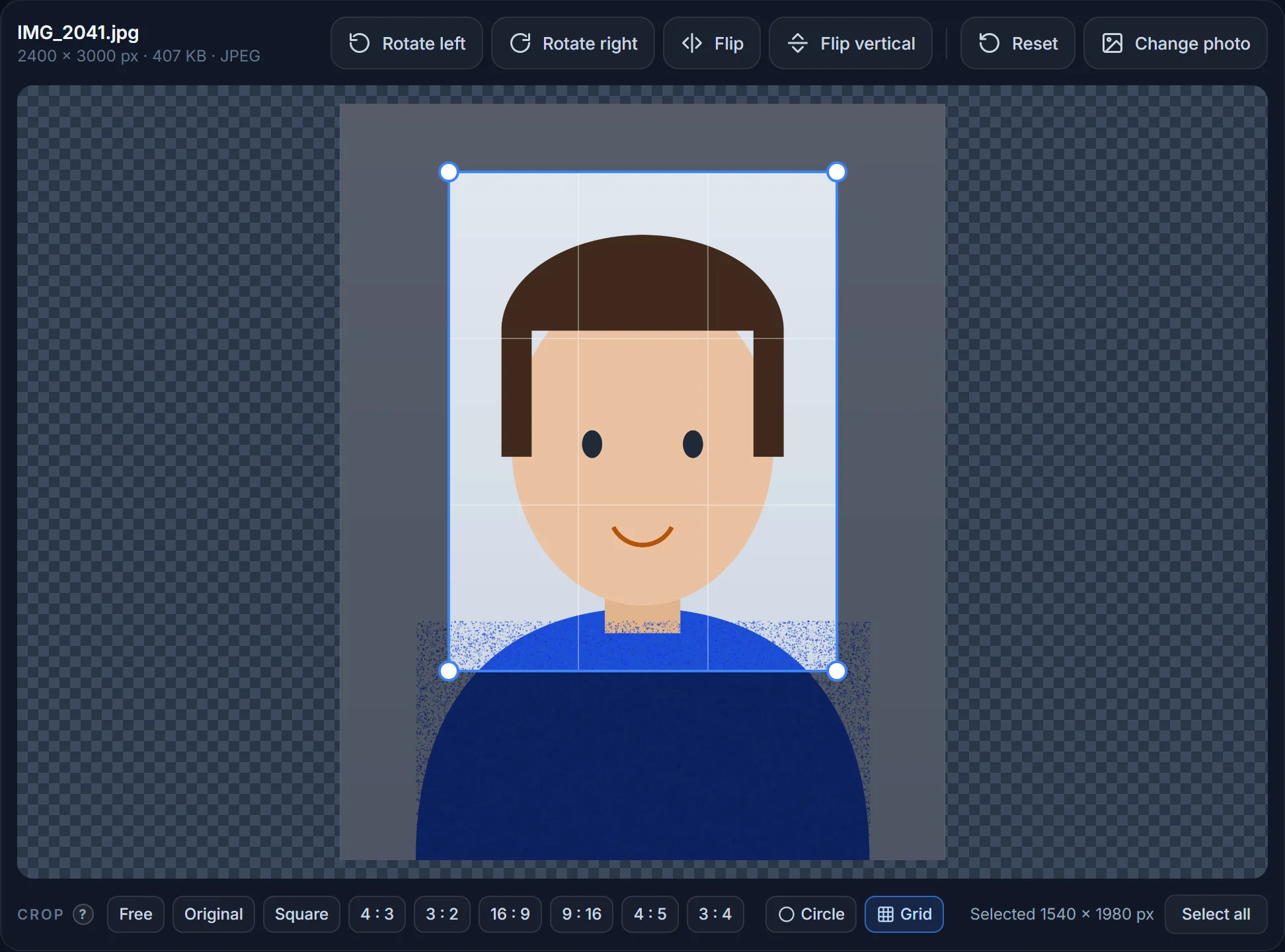
Drag the frame so the head is centred and fills about 70–80 % of the height (chin to crown), with a little space above the hair. Drag a corner to make the frame bigger or smaller — it keeps its shape.
-
04
Save as JPG
Choose JPG. If the form has a file-size rule, tick Keep the file under and enter it (50 KB, 240 KB…). Download — the file lands in your Downloads folder at exactly the required pixel size.
Reference
Passport and ID photo sizes by country
Printed size, the pixel size at 300 DPI, and the digital upload rules where the authority publishes them. Always double-check the current rules of the office you are applying to.
| Country / use | Size · pixels at 300 DPI | Digital upload rules |
|---|---|---|
| United States — passport, visa, DV lottery | 2 × 2 in · 600 × 600 px | Square JPG, 600 × 600 to 1200 × 1200 px, ≤ 240 KB, colour, plain white/off-white background |
| United Kingdom — printed | 35 × 45 mm · 413 × 531 px | Head 29–34 mm high |
| United Kingdom — online | Portrait, ≥ 600 × 750 px | JPG, 50 KB – 10 MB, taken within the last month |
| EU · Schengen visa · most of Europe | 35 × 45 mm · 413 × 531 px | Face 70–80 % of the height; check the embassy for KB limits |
| India — passport | 2 × 2 in (51 × 51 mm) · 600 × 600 px | JPG; face centred, plain light background |
| India — exam & ID portals | Often 3.5 × 4.5 cm · 413 × 531 px (≈ 276 × 354 at 200 DPI) | JPG 20–50 KB is typical; signature 10–20 KB |
| Canada | 50 × 70 mm · 591 × 827 px | Face 31–36 mm from chin to crown |
| Australia | 35 × 45 mm · 413 × 531 px | Face 32–36 mm from chin to crown |
| China — 一寸 / 二寸 | 25 × 35 mm · 295 × 413 px / 35 × 49 mm · 413 × 579 px | Usually JPG; many portals ask for 20–100 KB |
| Japan | 35 × 45 mm · 413 × 531 px | Face 32–36 mm high |
| Germany (biometric) | 35 × 45 mm · 413 × 531 px | Face 32–36 mm high, neutral expression |
Pixel sizes are millimetres ÷ 25.4 × 300 DPI, rounded. A photo that is larger than the minimum but has the correct proportions is usually accepted; a stretched one never is — which is why this tool crops instead of stretching.
Get it accepted
The rules behind most rejections
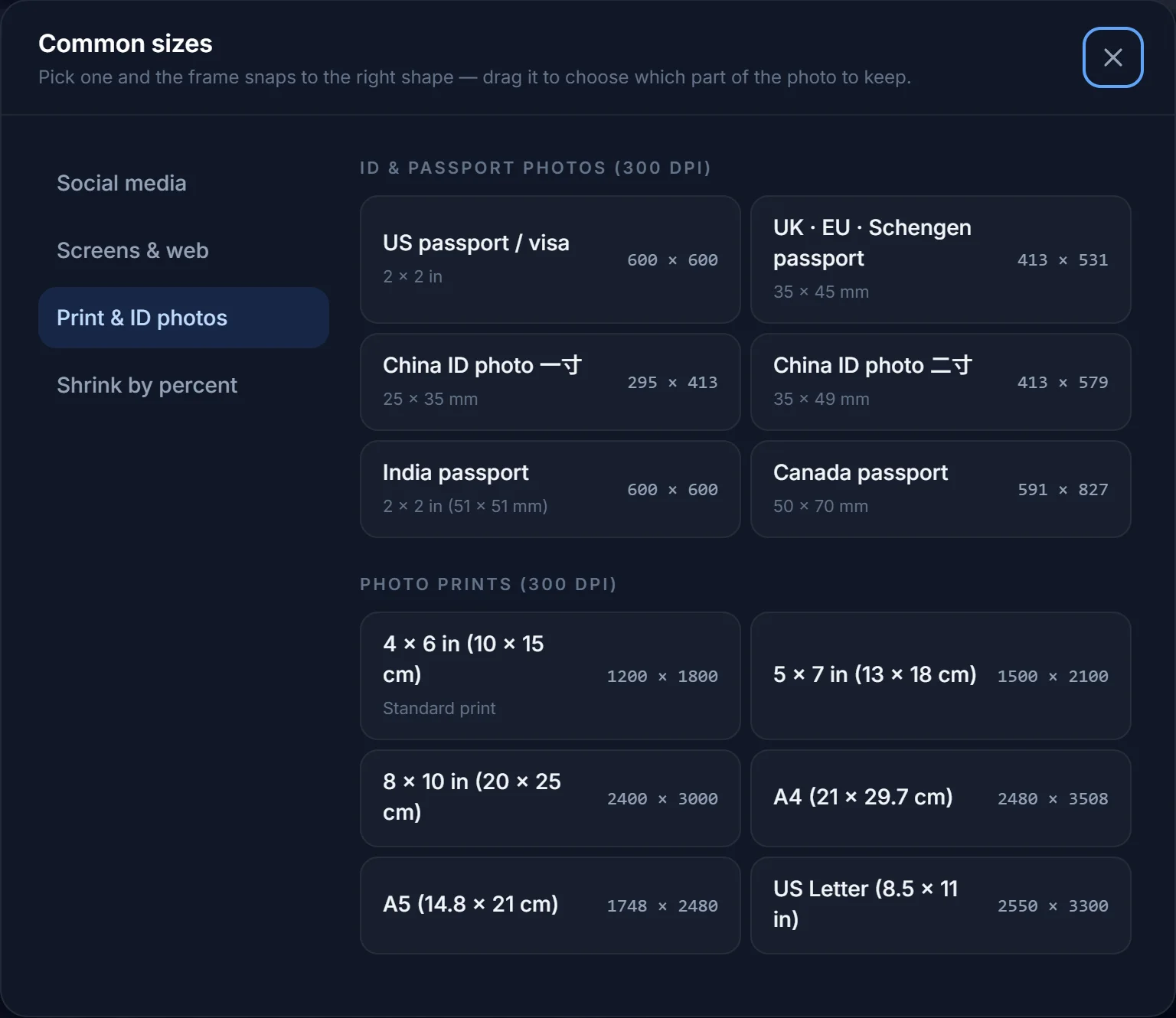
- Proportions. The photo must have the exact aspect ratio (1 : 1 for 2 × 2 in, 7 : 9 for 35 × 45 mm). Picking a size here locks the frame to that ratio; nothing is stretched.
- Head size. Most countries want the face to take up 70–80 % of the photo’s height. Use the grid to line the eyes up roughly one third from the top.
- Background. Plain white, off-white or light grey; no shadows, no patterns. The resizer will not remove a background — take the photo in front of a wall.
- Recent, unedited, colour. No filters, no beauty modes, no glasses glare, no hats. Resizing and cropping are allowed; retouching is not.
- File rules. JPG almost everywhere; pixel minimums and KB maximums as in the table. Type the KB limit into Keep the file under and the tool guarantees it.
Printing
Printing a passport photo at home or at a kiosk
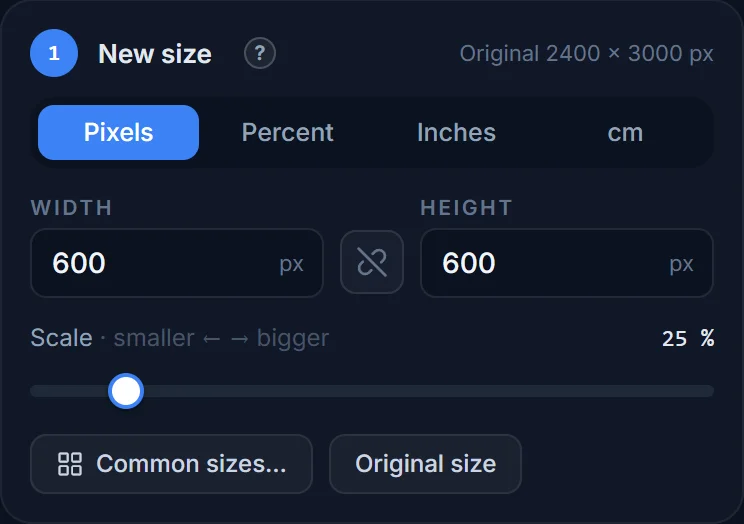
Set the size in Inches or cm at 300 DPI and the pixel size is worked out for you — 2 × 2 in becomes 600 × 600 px. To print several on one sheet, use a 4 × 6 in print (1200 × 1800 px) and lay the photos out in any photo app, or simply order 4 × 6 prints and cut.
Photo kiosks and pharmacies take a JPG on a USB stick or from your phone; a 600 × 600 px file prints a crisp 2 × 2 in photo. Do not upscale a small photo to “improve” it — it only gets softer.
How many pixels is a 2 × 2 inch passport photo?
600 × 600 pixels at 300 DPI. The US State Department accepts 600 × 600 up to 1200 × 1200 pixels for digital submissions.
How many pixels is a 35 × 45 mm photo?
413 × 531 pixels at 300 DPI (35 mm ÷ 25.4 × 300 = 413). At 600 DPI it is 827 × 1063 pixels.
How do I make my passport photo under 50 KB?
Choose the passport size (for example 413 × 531 px), pick JPG, tick Keep the file under and type 50. At that pixel size a 50 KB JPG still looks perfectly sharp. See the resize to KB guide.
Can I take the photo with my phone?
Yes. Stand about 1.5 m from the camera in daylight against a plain wall, have someone else take it (no selfie arm), then crop it here. HEIC photos from an iPhone open directly and are saved as JPG.
Does the tool check the photo against the rules?
No — it gives you the exact size and file type. Head position and background are up to you; the official photo checkers (for example the US State Department’s photo tool) will tell you if the framing is off.
Can I use an AI-generated or retouched photo for a passport?
Most authorities require an unretouched photograph of your real face, taken recently, and reject filtered, beauty-edited or AI-generated pictures. This tool only crops, resizes, rotates and compresses — it does not change your face or the background — so the result is as acceptable as the original photo you put in.
Is my passport photo uploaded anywhere?
No. Cropping, resizing and saving happen in your browser; the picture is never sent to our server (HEIC files are converted in memory and discarded immediately).
Make your passport photo now
Exact size, 300 DPI, JPG, under the KB limit — in under a minute, on your own device.