
File size guide · Updated October 2026
Resize an image to 20 KB, 50 KB, 100 KB or any file size
A form says “photo must be under 50 KB”? Tick Keep the file under, type the number and download. The tool lowers the JPG quality just enough to fit — you choose the pixel size — and shows you the real file size before you save. Need a photo and a signature for an application form? See photo and signature for online forms. Just want a smaller file with no fixed limit? Compress an image.
One click
Pick the limit your form asks for
The most common limits on government portals, exam registrations, visa applications, job sites and e-mail. Each link opens the resizer with the limit and JPG already set.
Each link opens the resizer with these settings already filled in — you only choose the photo and press Download. Nothing is uploaded; the work happens in your browser.
Step by step
How to resize an image to a specific KB size
Three steps; under a minute. Works with JPG, PNG, WebP, HEIC (iPhone) and more.
-
01
Open your photo
Click Choose a photo, drag the file in, or paste it with Ctrl + V. Photos straight from a phone (HEIC) and scans (TIFF) open too.
-
02
Set the file-size limit
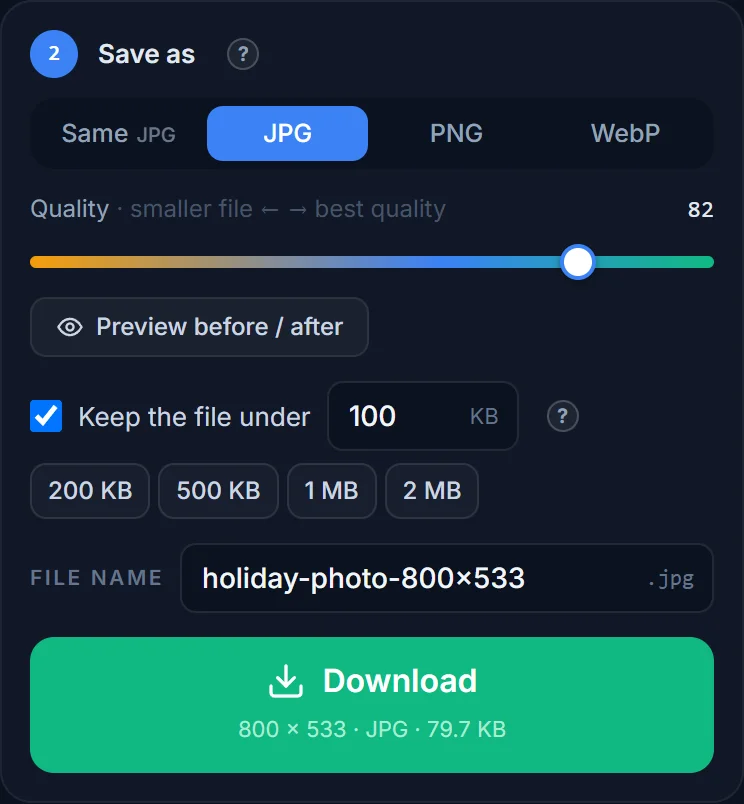
Under Save as, tick Keep the file under and type the number from your form — 50 for “50 KB”. The quick buttons give you 200 KB, 500 KB, 1 MB and 2 MB. Choose JPG if the form asks for JPEG (most do).
-
03
Check the size and download
The Download button shows the real size of the file you are about to save, e.g. 600 × 600 · JPG · 47 KB. If the tool cannot get under the limit at any quality, it says so — then also make the picture smaller in pixels (see below) and try again.
Reference
Which pixel size fits which KB limit?
A JPG photo at good quality (about 80) needs roughly this many pixels for a given file size. Start from these and the quality search will do the rest.
| Limit | Comfortable pixel size (JPG, quality ≈ 80) | Typical use |
|---|---|---|
| 20 KB | ≈ 300 × 300 px or 320 × 240 px | Signature scans, tiny ID thumbnails |
| 50 KB | ≈ 500 × 500 px or 640 × 480 px | Passport-style photos on exam and visa portals |
| 100 KB | ≈ 800 × 600 px | Job sites, admission forms, small web images |
| 200 KB | ≈ 1024 × 768 px | Profile pictures, classified ads, forums |
| 500 KB | ≈ 1600 × 1200 px | E-mail, marketplaces, blog images |
| 1 MB | ≈ 2048 × 1536 px | Full-screen website images |
| 2 MB | ≈ 3000 × 2000 px | Print-ready photos, portfolios |
These are rules of thumb — a photo with lots of fine detail (foliage, fabric, noise) compresses worse than a portrait against a plain wall. PNG files are 3–10× larger than JPG at the same pixel size and cannot be shrunk with a quality setting, so switch to JPG whenever a KB limit is involved.
What actually happens
Two knobs decide a photo’s file size
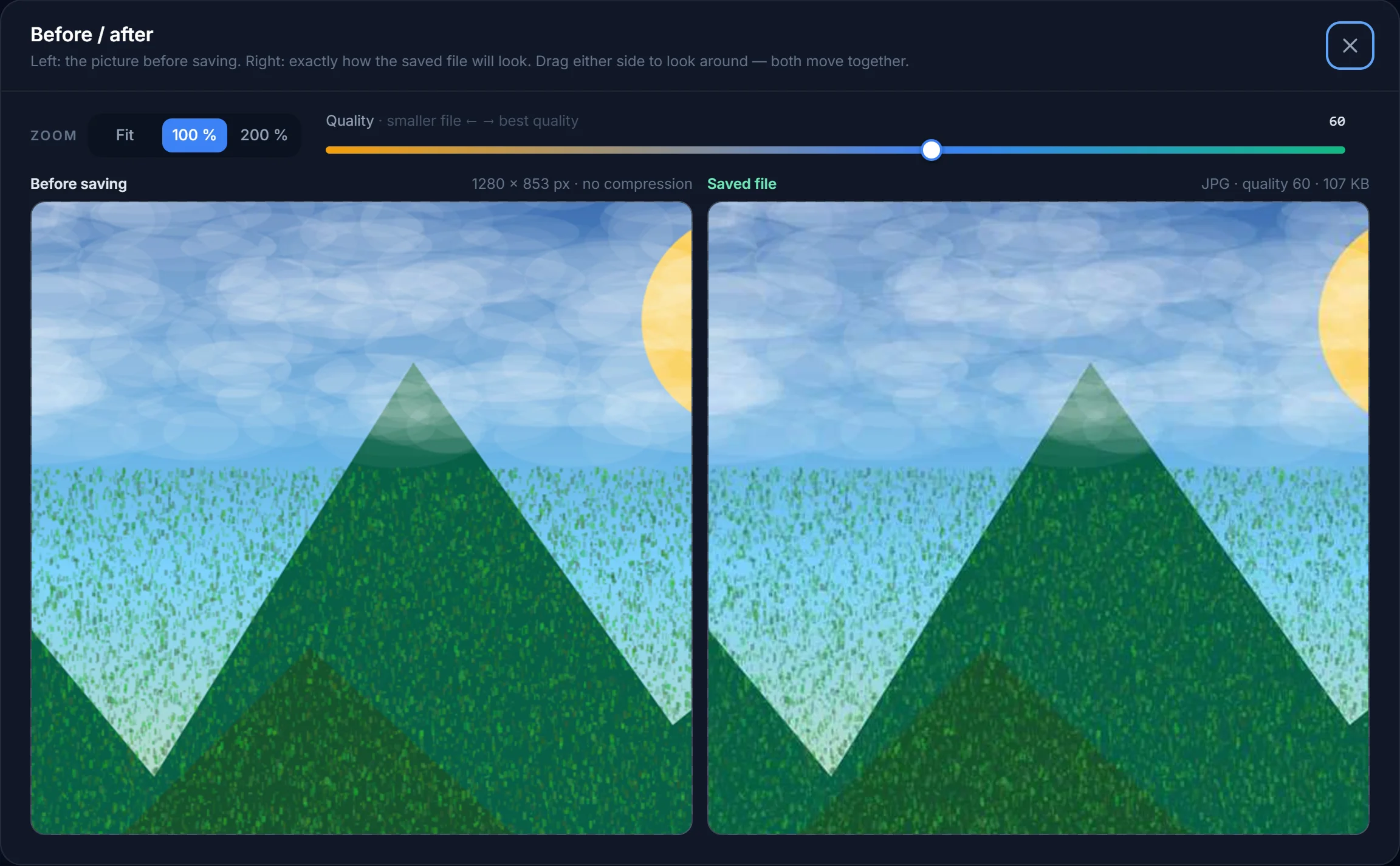
A photo’s file size depends on two things: how many pixels it has and how strongly it is compressed. A 12-megapixel phone photo is 4000 × 3000 pixels and usually 3–5 MB. A form that wants 50 KB is asking for about 1 % of that.
Keep the file under works on the compression knob: it tries several JPG quality settings (at most seven encodes) and keeps the highest one that lands under your limit. That alone gets most photos from a few MB to a few hundred KB with no visible change.
For very small limits — 20 or 50 KB — quality alone is not enough; a 4000-pixel photo squeezed to 50 KB looks blocky. Also reduce the pixels: type a width of 600 or pick Common sizes → Print & ID photos for a passport-size frame, then let the KB limit handle the rest. Fewer pixels and moderate quality always beats many pixels and terrible quality.
Forms that ask for this
Common file-size rules and what to pick
- Government, exam and recruitment portals (India and elsewhere): a photo JPG of roughly 20–50 KB (some allow 100 KB or more) and a signature JPG of roughly 10–20 KB, often with a fixed pixel size such as 3.5 × 4.5 cm at 200 DPI. Set the pixels first, then the limit — and check your own notice, because the numbers change from one cycle to the next. The photo and signature guide walks through both files.
- US passport / visa photo tool, DV lottery: square JPG, 600 × 600 to 1200 × 1200 px, 240 KB or less. Use the passport photo guide.
- UK online passport application: at least 600 × 750 px, between 50 KB and 10 MB.
- Job boards, university admissions, HR portals: usually 100–500 KB; JPG accepted everywhere, PNG sometimes.
- E-mail: no hard limit per file, but attachments over 10–25 MB bounce and big photos are slow on phones — 500 KB to 1 MB per photo is a courteous size.
- Websites and shops: 100–300 KB per product photo keeps pages fast; WebP at quality 80 is about 30 % smaller than JPG for the same look.
How do I reduce a photo to 50 KB without losing quality?
Make the picture smaller in pixels first (500–600 px on the long side is plenty for an ID-style photo), then tick Keep the file under 50 KB. Reducing pixels removes detail the form would throw away anyway; lowering quality removes detail you can see. Doing the pixels first means the quality can stay high.
Why can’t I get under 20 KB?
At 20 KB there is room for roughly 300 × 300 pixels of JPG. If your picture is still 1500 px wide, no quality setting will fit. Type a smaller width (or pick a percentage), and the warning goes away.
Does “Keep the file under” work for PNG?
No — PNG is lossless and has no quality setting. Choose JPG (or WebP) and the option becomes active. If you need transparency and a small file, WebP is the answer.
Is the file size shown exact?
Yes. The number next to Download is the size of the encoded file you are about to save, not an estimate. Windows and macOS show the same number in the file’s properties.
Is my photo uploaded to resize it?
No. The pixels are resized and the JPG is encoded by your own browser; the file never leaves your device. Only HEIC, TIFF, PSD and SVG files are converted on our server first, in memory, because browsers cannot open them.
Get under the limit in one go
Set the KB limit, choose the photo, download. The real file size is shown before you save.